
Pending Orders in Forex Explained: Buy Limit, Sell Limit, Buy Stop & Sell Stop
Learn how pending orders work in MT5, including Buy Limit, Sell Limit, Buy Stop and Sell Stop, with simple price examples and a beginner-friendly comparison.
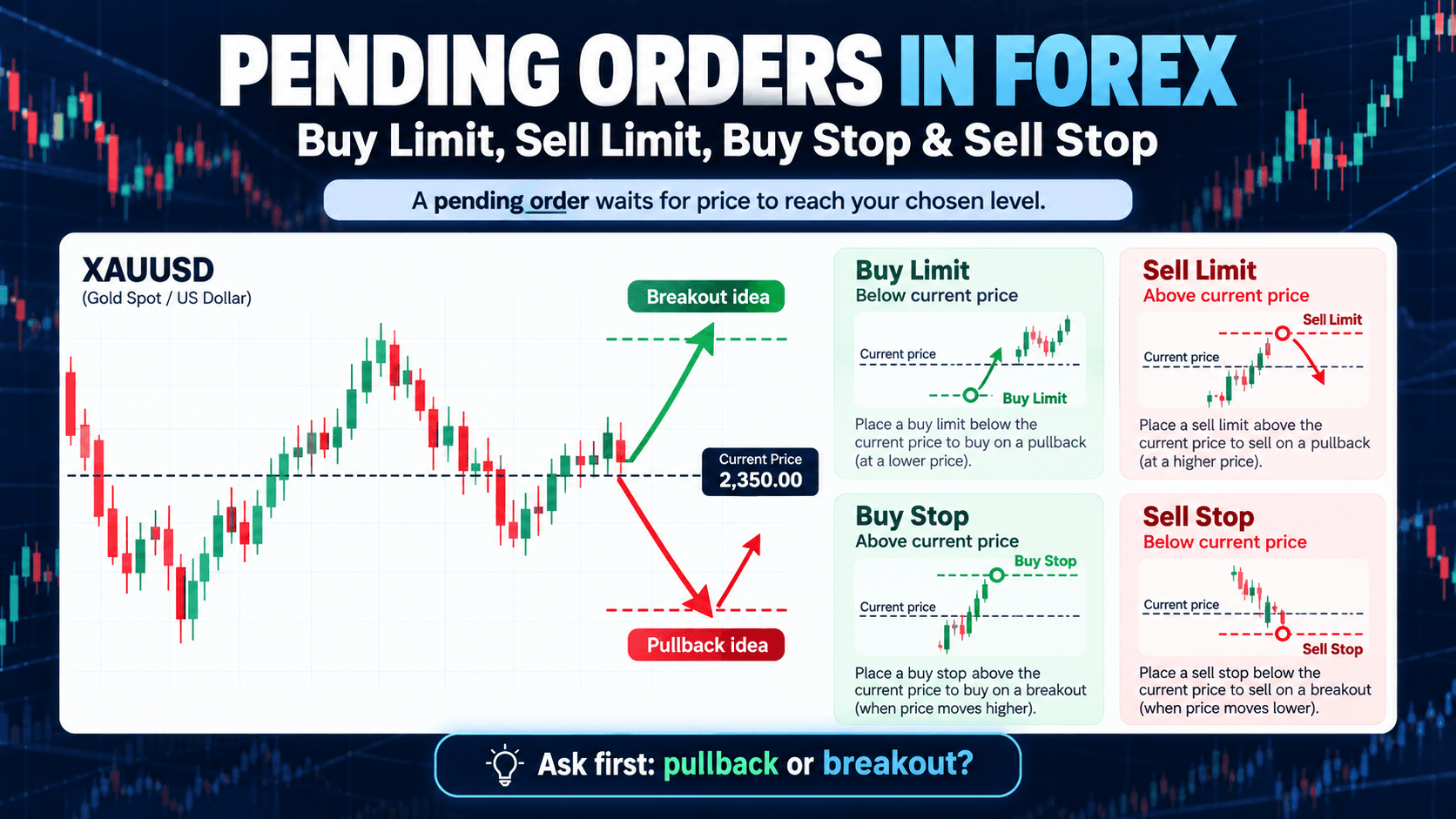
Pending Orders in Forex Explained: Buy Limit, Sell Limit, Buy Stop & Sell Stop
If you use MT5, you do not always need to enter a trade immediately at the current market price.
You can also use a pending order, which tells MT5 to wait until price reaches a specific level before attempting to open a position.
For beginners, the four names can look confusing:
- Buy Limit
- Sell Limit
- Buy Stop
- Sell Stop
The easiest way to understand them is to first ask one question:
Do you want to enter after price pulls back, or after price breaks out?
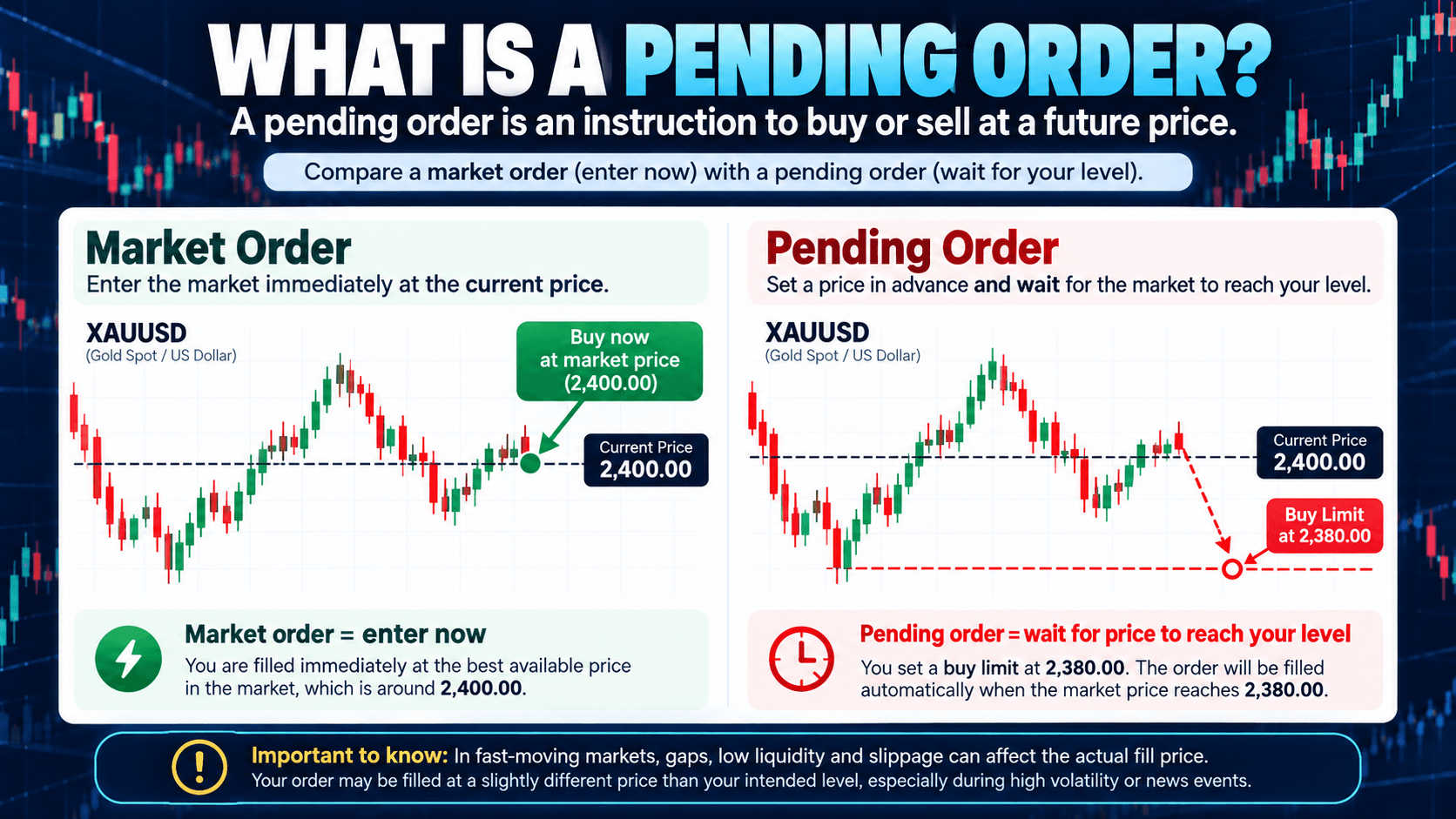
What Is a Pending Order?
A pending order is an instruction to open a position later if price reaches a level you choose.
This is different from a market order.
A market order attempts to enter at the current available market price, while a pending order waits for a future price condition.
For example, if XAUUSD is trading at 2,400 and you only want to consider buying if price drops to 2,380, you can place a pending order instead of watching the chart continuously.
Pending orders can be useful for planning entries in advance, but they do not guarantee a specific execution price. Fast markets, gaps, liquidity conditions, and slippage can affect the actual fill.

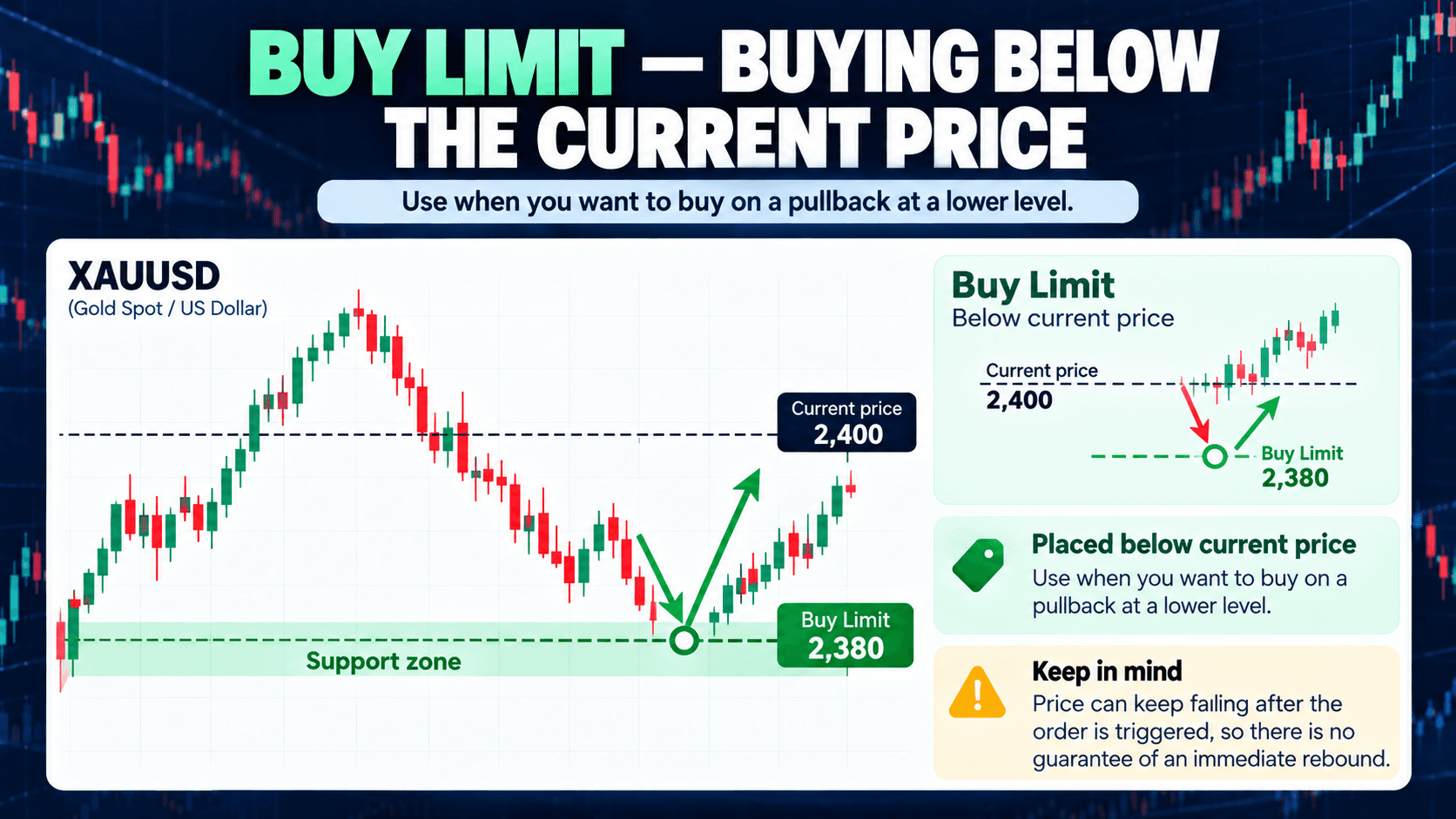
Buy Limit: Buying Below the Current Price
A Buy Limit is placed below the current market price.
The idea is simple: price is currently higher, but you want to buy only if it falls to a lower level.
Example:
Current XAUUSD price: 2,400
Buy Limit: 2,380
You are telling MT5:
“If gold falls to this lower level, attempt to open a Buy position.”
Traders may use a Buy Limit when they expect a pullback toward support before a possible rebound.
A Buy Limit does not mean price will rise after the order is triggered. Price can continue falling.
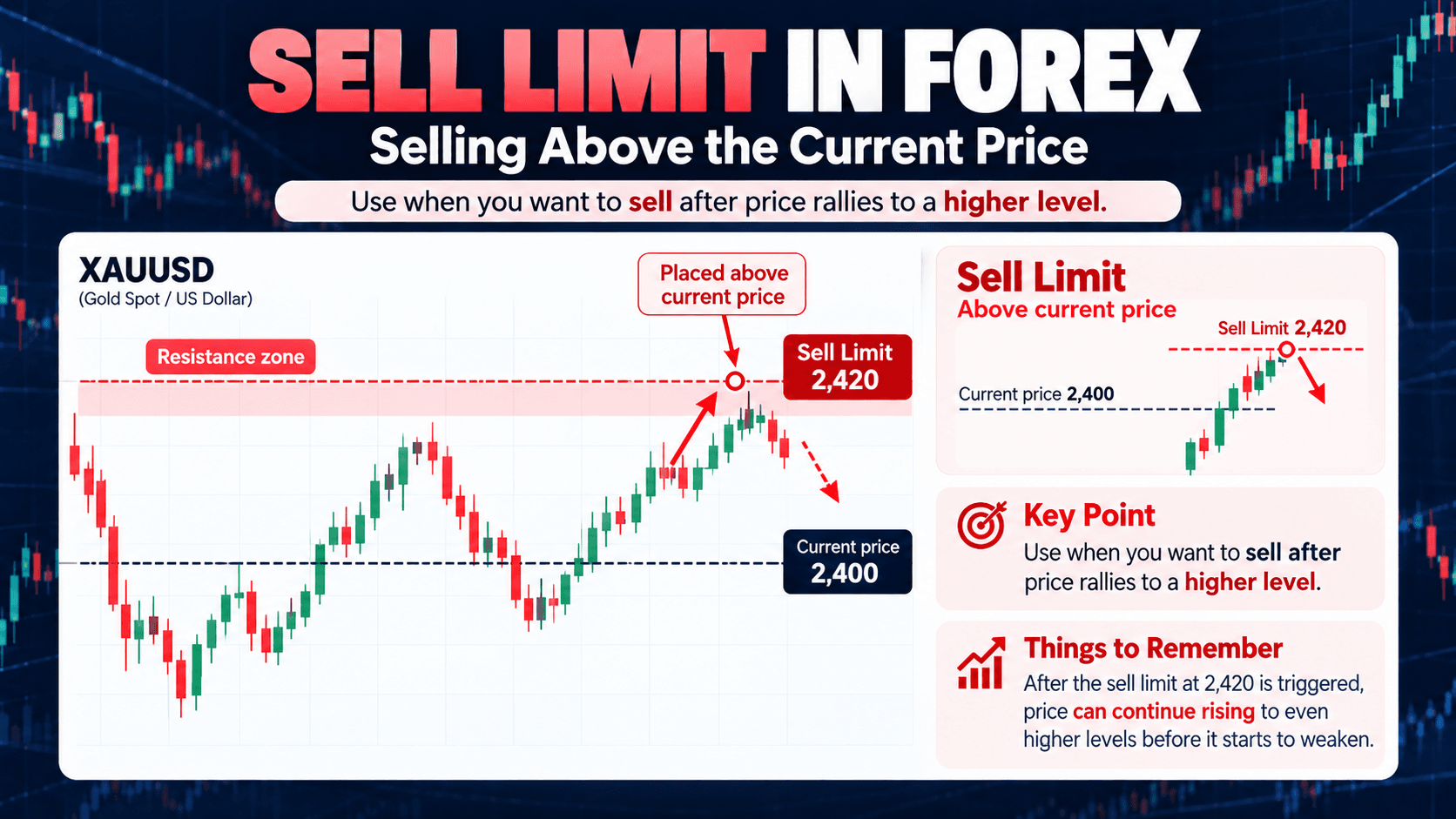
Sell Limit: Selling Above the Current Price
A Sell Limit is placed above the current market price.
For example:
Current XAUUSD price: 2,400
Sell Limit: 2,420
This means you want MT5 to attempt a Sell position only if price rises to the higher level.
A trader might use a Sell Limit near a resistance area when expecting price to move higher first and then weaken.
The important relationship is:
| Order Type | Entry Location |
|---|---|
| Buy Limit | Below current price |
| Sell Limit | Above current price |
Limit orders are commonly associated with pullback or reversal-style entries.
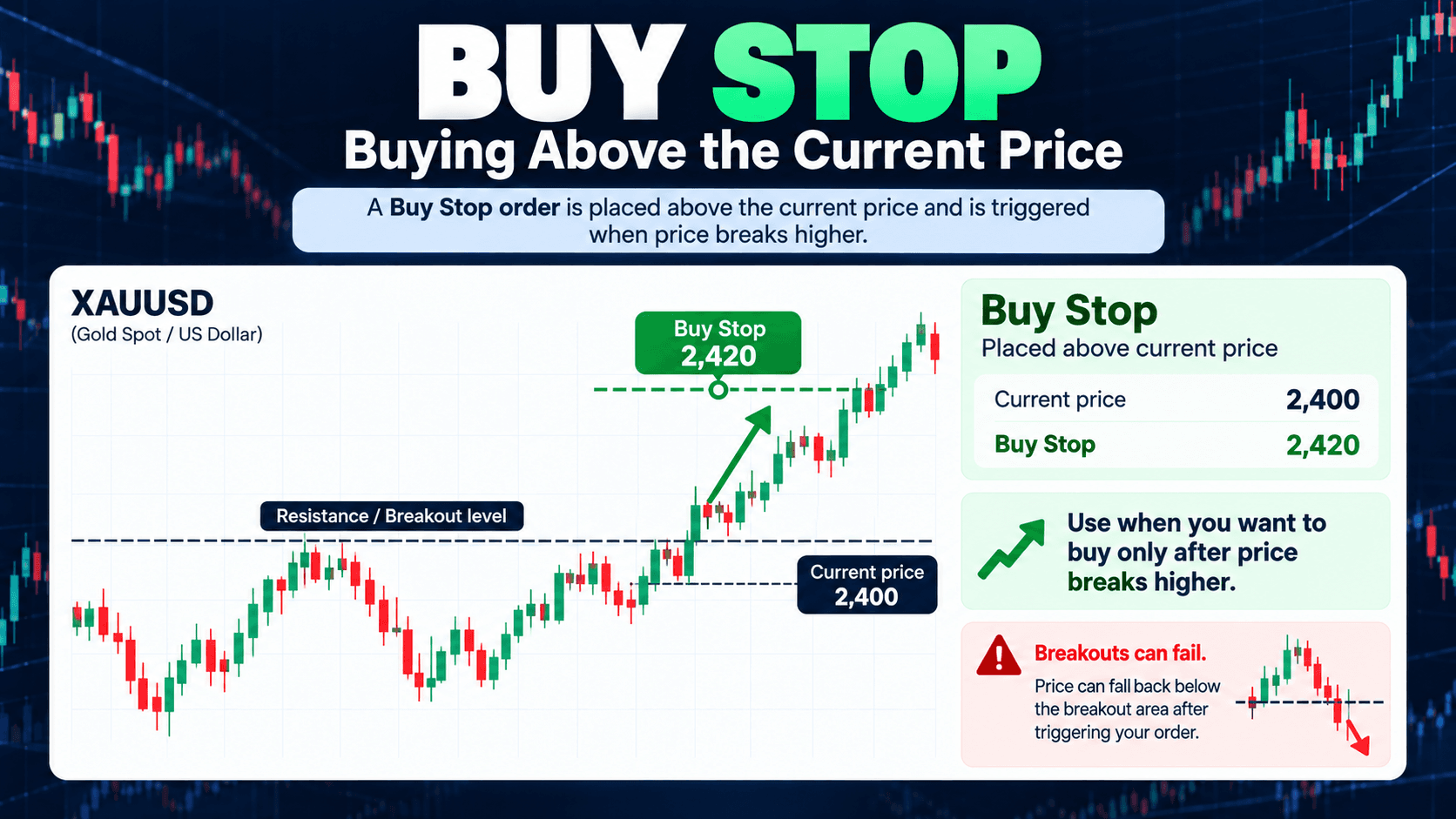
Buy Stop: Buying Above the Current Price
A Buy Stop is placed above the current market price.
Suppose XAUUSD is at 2,400, but you only want to enter if price breaks above 2,420.
You could place:
Buy Stop: 2,420
The idea is:
“If price reaches this higher level, attempt to open a Buy position.”
Buy Stop orders are often used when traders want confirmation that price has moved above a resistance or breakout level before entering.
However, breakouts can fail. Price may trigger the order and then quickly move back below the breakout area.
Sell Stop: Selling Below the Current Price
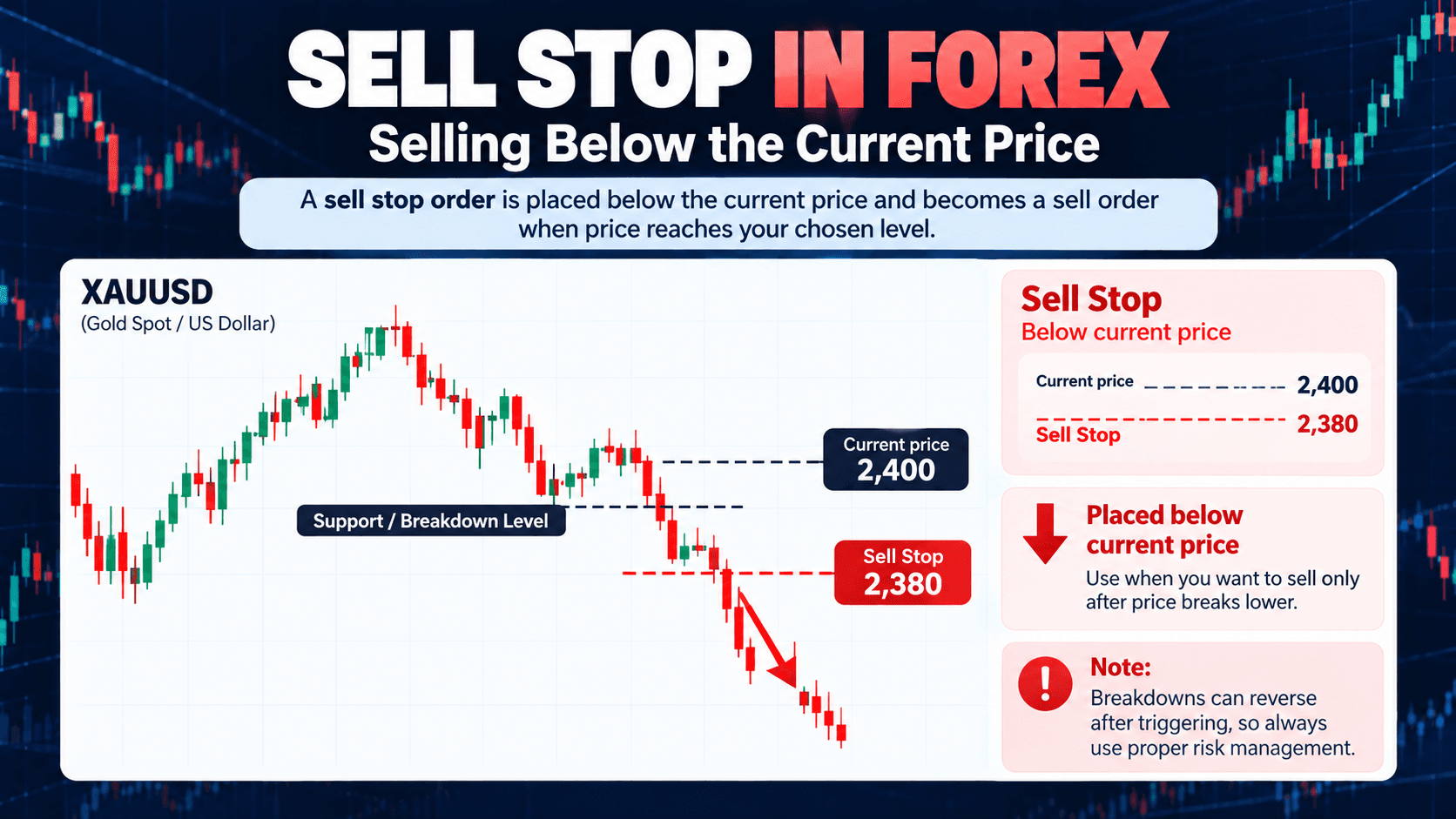
A Sell Stop works in the opposite direction.
It is placed below the current market price.
Example:
Current XAUUSD price: 2,400
Sell Stop: 2,380
This means MT5 will wait until price moves lower before attempting to open a Sell position.
Sell Stop orders are often associated with breakdown strategies, where a trader wants price to move below support before entering.
The basic relationship is:
| Order Type | Entry Location | Common Idea |
|---|---|---|
| Buy Stop | Above current price | Upside breakout |
| Sell Stop | Below current price | Downside breakout |
Limit vs Stop Orders: The Simplest Way to Remember
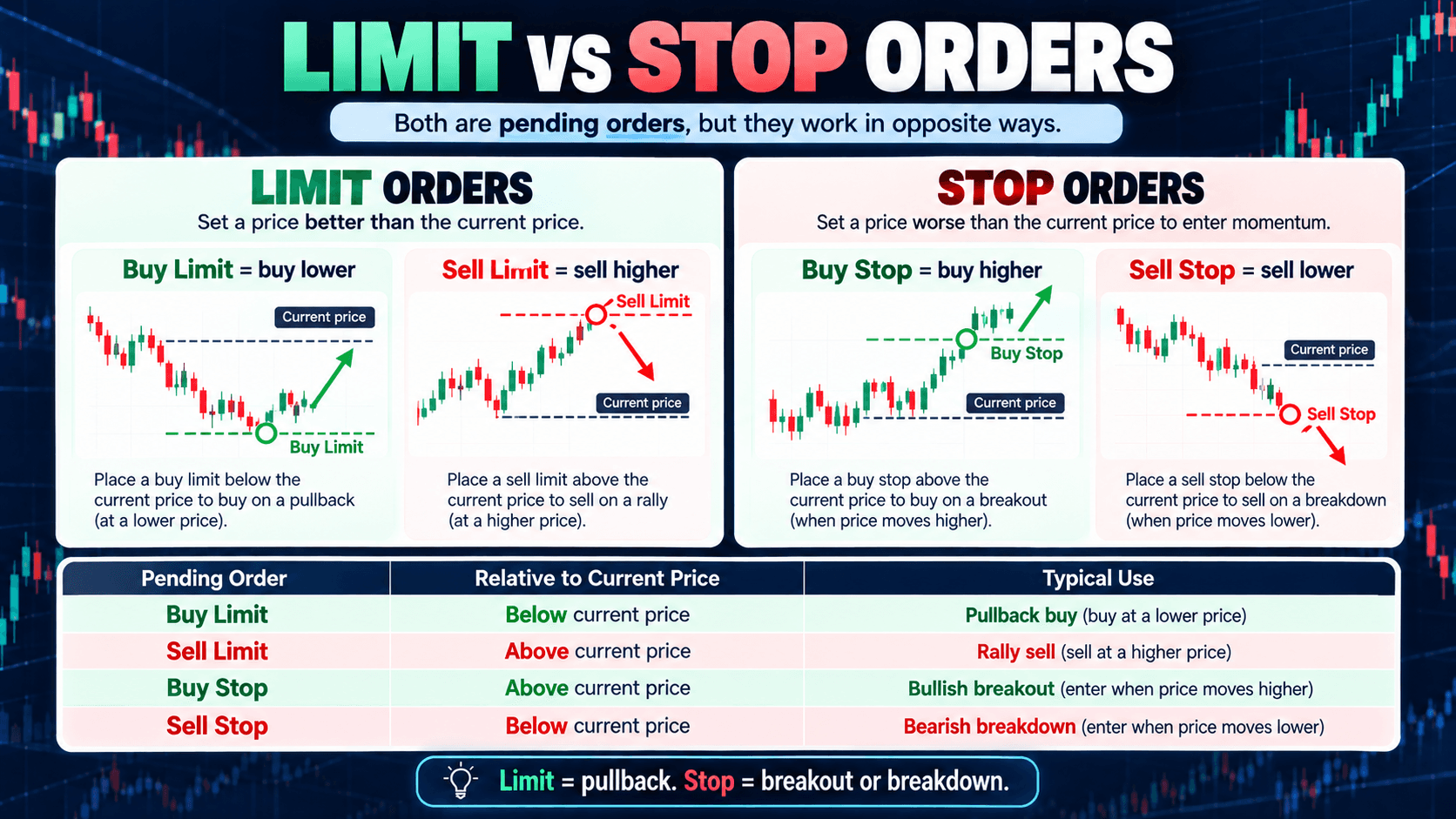
A simple way to remember the four pending orders is to separate them into two groups.
Limit Orders
You are waiting for price to move toward a better entry level before attempting to enter.
- Buy Limit = buy lower
- Sell Limit = sell higher
Stop Orders
You are waiting for price to move through a level before attempting to enter.
- Buy Stop = buy higher
- Sell Stop = sell lower
Here is the full comparison:
| Pending Order | Relative to Current Price | Typical Use |
|---|---|---|
| Buy Limit | Below | Pullback buy |
| Sell Limit | Above | Rally sell |
| Buy Stop | Above | Bullish breakout |
| Sell Stop | Below | Bearish breakdown |
How to Place a Pending Order in MT5
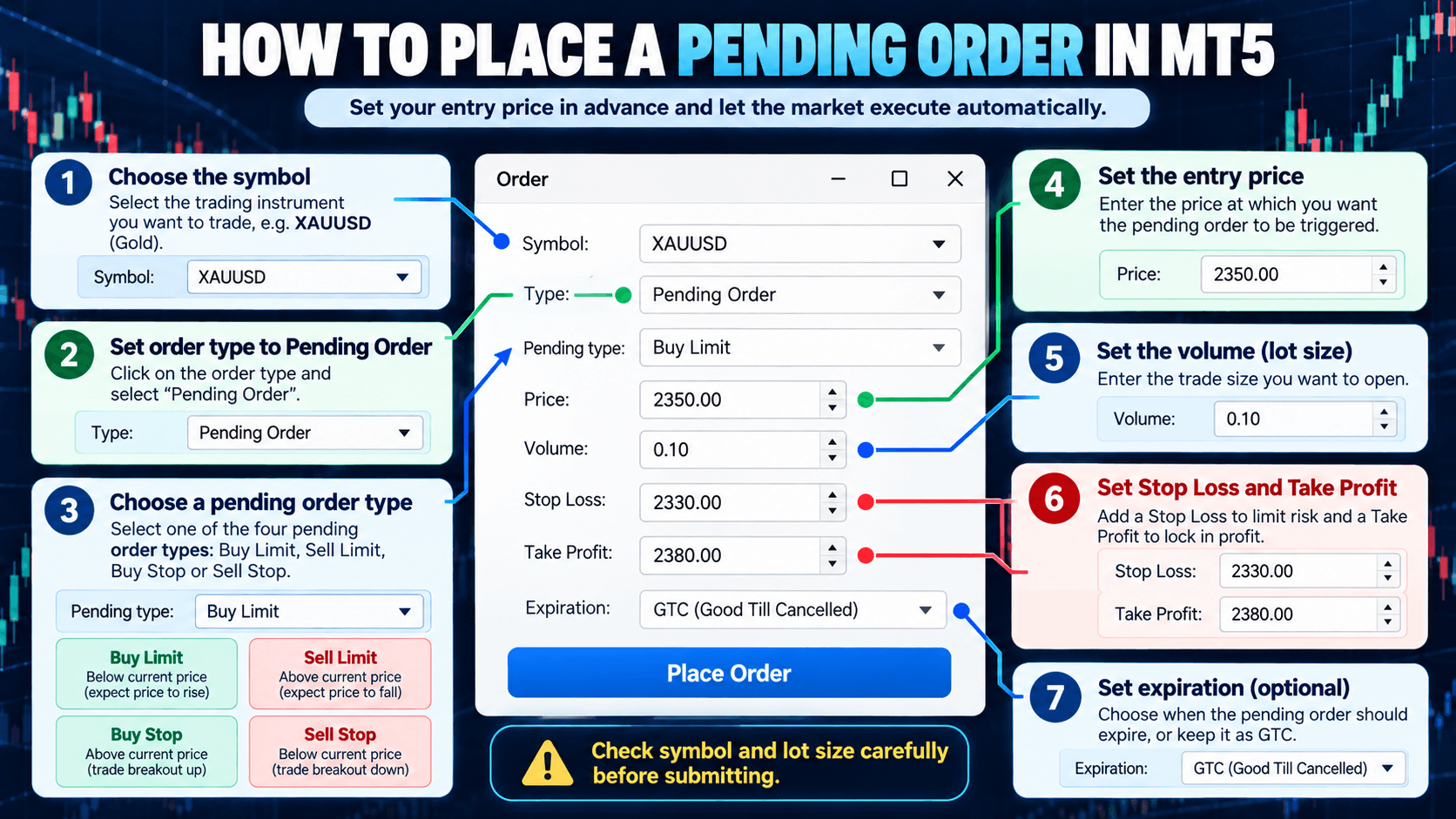
In MT5, open the New Order window and change the order type from market execution to a pending order.
Depending on the broker and symbol, you may be able to set:
- Order type
- Entry price
- Volume
- Stop Loss
- Take Profit
- Expiration time
Before submitting the order, check the symbol and lot size carefully.
For example, if you intended to place a 0.01 lot XAUUSD order but accidentally entered 1.00 lot, your position size could be much larger than intended.
It is also useful to set the Stop Loss and Take Profit as part of the trade plan rather than deciding only after the order is triggered.
What Happens After a Pending Order Is Triggered?
Before the trigger price is reached, the order remains a pending instruction.
Once the required price condition is met and the broker accepts the execution, the pending order can become an open position.
You can then monitor it in the Trade section of MT5.
A pending order can also remain unfilled, be manually cancelled, or expire depending on its settings.
This is why pending orders should still be monitored. They are not a guarantee that the market will execute exactly as expected.
Common Beginner Mistakes
The most common mistake is mixing up Limit and Stop orders.
Remember:
Limit = enter after price moves toward a more favorable level.
Stop = enter after price moves through a level.
Other common mistakes include using the wrong lot size, placing the order too close to current price, forgetting Stop Loss, confusing Buy Stop with Sell Stop, and leaving old pending orders active after the original trading idea is no longer valid.
Key Takeaways
There are four basic pending orders in MT5:
Buy Limit — placed below current price.
Sell Limit — placed above current price.
Buy Stop — placed above current price.
Sell Stop — placed below current price.
The main difference is whether you want to enter on a pullback or after a breakout.
One-Line Summary
Limit orders wait for a pullback, while stop orders wait for a breakout or breakdown.
Understanding where each order sits relative to the current price is the easiest way to remember all four.
Next Article: Take Profit in MT5 — What It Is and How to Set It
Once you understand pending orders, the next step is learning how to plan an exit.
The next guide will explain Take Profit, Stop Loss, risk-to-reward planning, and how to set TP and SL in MT5.
Educational Purpose and Risk Disclosure
This article is for educational purposes only and does not constitute investment advice or a recommendation to buy or sell any financial instrument.
Pending orders do not guarantee execution at an exact price. Slippage, gaps, volatility, liquidity conditions, and broker execution rules can affect the actual result. Always check your symbol, lot size, entry price, Stop Loss, Take Profit, and broker specifications before trading with real funds.