
How to Read Bid, Ask, and Spread in MT5
Learn what Bid, Ask, and Spread mean in MetaTrader 5, how to calculate the price difference, and where to check symbol specifications.
How to Read Bid, Ask, and Spread in MT5
When you look at prices in MetaTrader 5, you may see two quotes for the same instrument: Bid and Ask. The difference between them is called the spread.
Understanding these terms helps you read Market Watch and make sense of the prices shown when you open a trade. Quotes and trading conditions can vary by broker, account type, and instrument.
1. What Do Bid and Ask Mean?
Bid is the price at which you can generally sell an instrument. Ask is the price at which you can generally buy it. The Ask is usually higher than the Bid, although the difference can change as quotes update.
| Term | Beginner-friendly meaning |
|---|---|
| Bid | The quoted price generally used when selling |
| Ask | The quoted price generally used when buying |
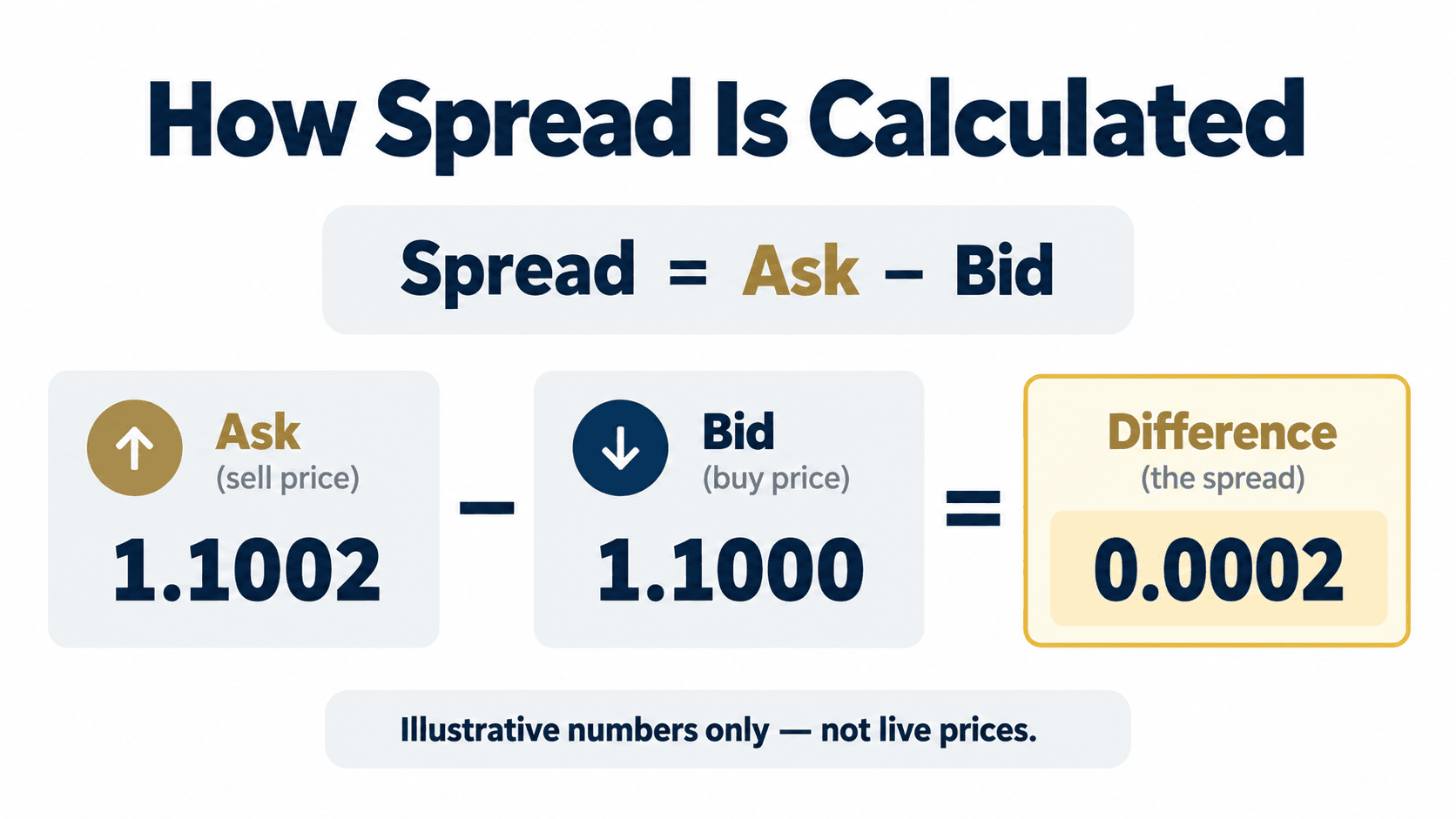
| Spread | The difference between the Ask and Bid |
For example, imagine a quote shows:
- Bid: 1.1000
- Ask: 1.1002
The spread is 0.0002. This is an example to explain the calculation, not a live quote or a prediction.
In MT5 desktop, you can see quote columns in Market Watch. If Bid or Ask is not visible, right-click the column header and review the available display options. The layout may differ depending on your platform version and broker.
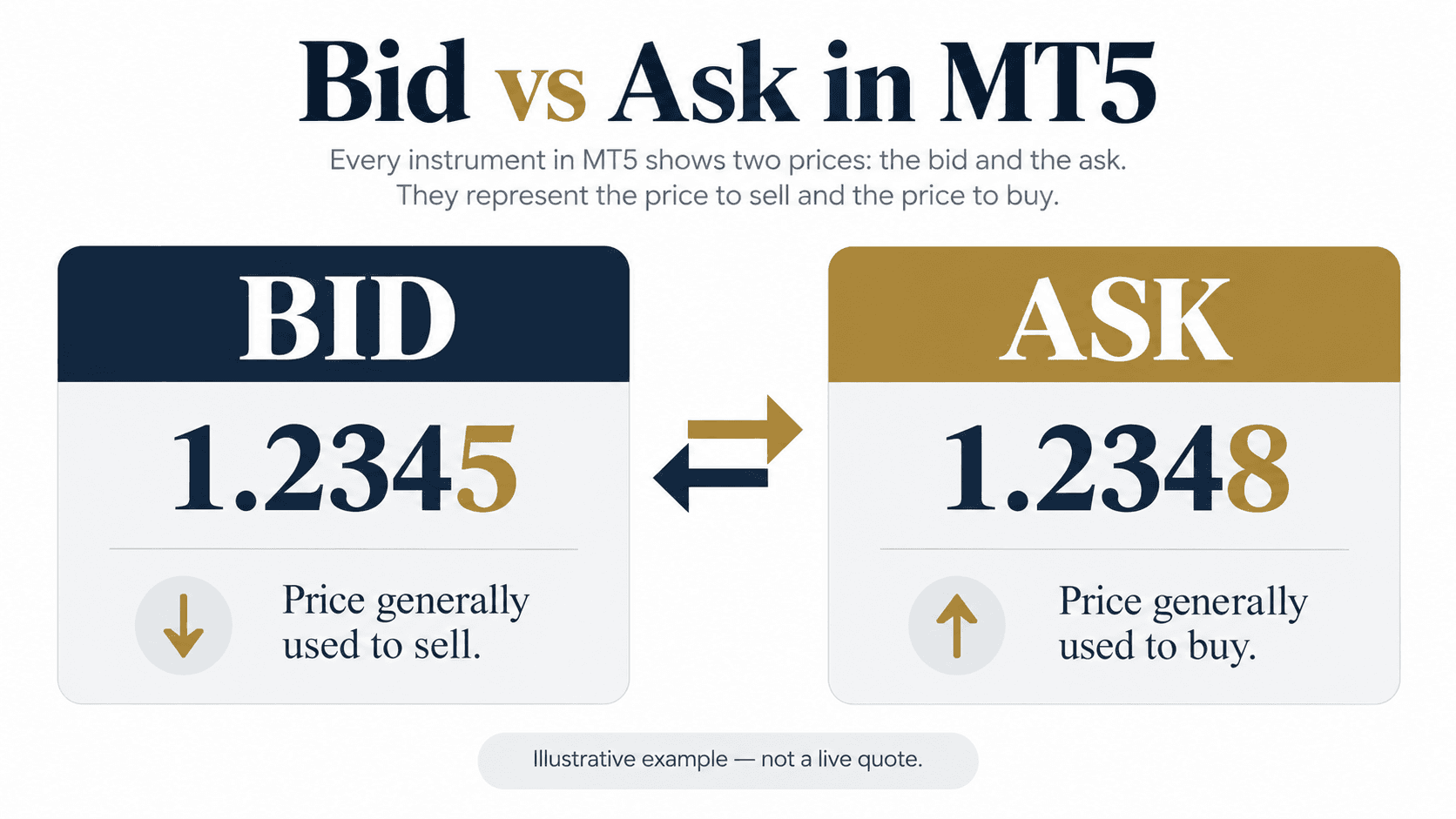

2. How Is the Spread Shown in MT5?
The spread is the difference between the Ask and Bid prices. In the Market Watch window, MT5 can display it as a quote field. You can also calculate the price difference yourself:
Spread = Ask − Bid
The number of digits shown depends on the instrument. For currency pairs, a spread may be described in points or pips, but these units are not always interchangeable. Check the symbol’s digits and point size before converting the displayed difference.
Spread conditions can vary:
| Spread condition | What to know |
|---|---|
| Floating spread | The difference can widen or narrow as prices change |
| Fixed spread | The broker may quote a set spread under specified conditions |
| Wider spread | Can occur during low liquidity, market openings, or major news |
| Symbol-specific spread | Different instruments can have different quote conditions |
The spread is only one possible trading cost. Commission, swap, execution conditions, and other charges may also apply depending on the instrument and account. Check the broker’s current terms and the MT5 symbol specification rather than relying on a general example.
3. Where Can You Check the Symbol Details?
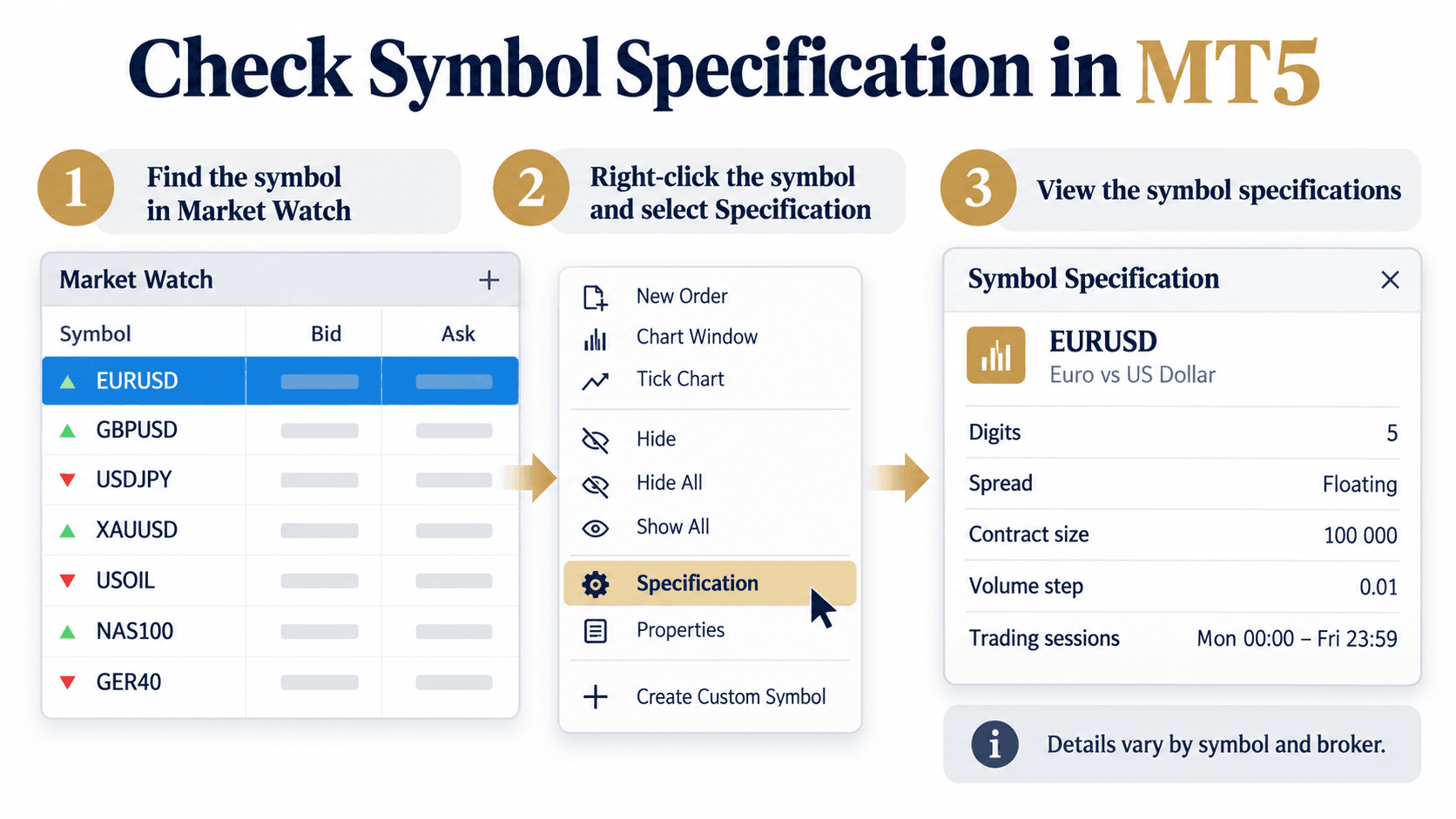
To inspect a symbol’s trading conditions in MT5 desktop:
- Open Market Watch.
- Right-click the instrument.
- Select Specification or the equivalent details option.
- Review the displayed contract and trading information.
The specification may include the symbol description, digits, spread information, contract size, minimum volume, volume step, trading sessions, and other parameters. What appears depends on the instrument and the broker’s configuration.
On mobile, open the instrument from the Quotes list and look for its details or specification screen. Menu names can vary by app version.
Before using a quote, confirm that:
- You have selected the intended symbol, including any suffix.
- Bid and Ask are updating.
- You understand whether the spread is floating or fixed.
- You have checked commissions and other applicable charges separately.
- You are looking at the correct account and broker server.
A chart may be built using Bid prices or, for some instruments, Last prices. That means the visible chart price may not match the Ask quote shown in Market Watch. This is one reason to check the quote fields and symbol settings when comparing prices.
---
This article is for educational purposes only and is not financial or investment advice. Bid, Ask, spread, commissions, and trading conditions can change and vary by broker, account, and instrument. Trading leveraged products involves substantial risk.
Sources:
- MetaTrader 5 Help — Market Watch: https://www.metatrader5.com/en/terminal/help/trading/market_watch
- MetaTrader 5 Help — Symbol specification: https://www.metatrader5.com/en/terminal/help/trading/market_watch
- MetaTrader 5 Help — Chart settings: https://www.metatrader5.com/en/terminal/help/charts_advanced/charts_settings