
Getting Started with MT5 Demo Trading
Learn how to start MT5 demo trading with virtual funds. This beginner-friendly guide explains demo accounts, server selection, virtual balance setup, symbol checks, and how to practice before using real money.
Getting Started with MT5 Demo Trading: Practice with Virtual Funds When you first open MetaTrader 5 (MT5), it may feel like you need to start trading with real money right away. But you can begin with a demo account instead. A demo account lets you practice using charts and placing orders with virtual funds rather than real money. The three key points are simple:
- Create a demo account
- Check your virtual balance and server
- Practice with rules as if it were real trading
- What Is a Demo Account?
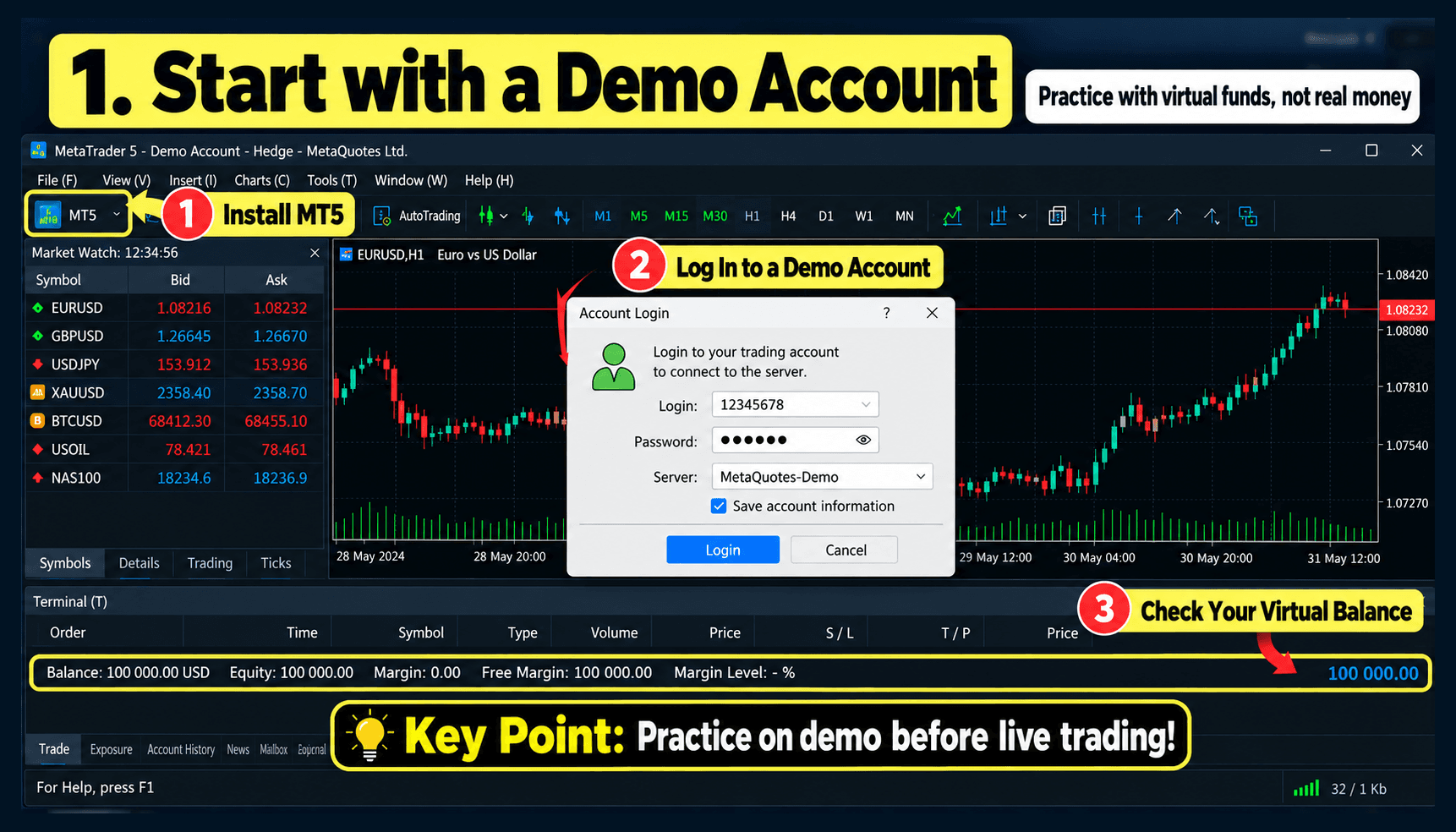
A demo account allows you to practice using MT5 without depositing real money. You can open charts, place orders, set stop-loss and take-profit levels, and watch how positions move. If you are new to MT5, it is usually better to become familiar with the platform and order process in a demo environment before using real funds.
- Create a Demo Account in MT5
Open MT5 and look for the option to add an account or open a demo account. Choose the broker server you want to use, select a demo account, and enter the required basic information. The important thing is to check that you are using a Demo server, not a Real server. Server names and account-opening screens may differ depending on the broker.
- Set Your Virtual Funds
When opening a demo account, you may be able to choose the amount of virtual funds and the leverage. Instead of using an unrealistically large balance, it can be more useful to choose an amount similar to what you might actually trade with. For example, if you expect to use around $1,000 in real trading, you could practice with a similar demo balance. This can help you understand the difference between small and large gains or losses more realistically.
- Check the Symbol and Chart First
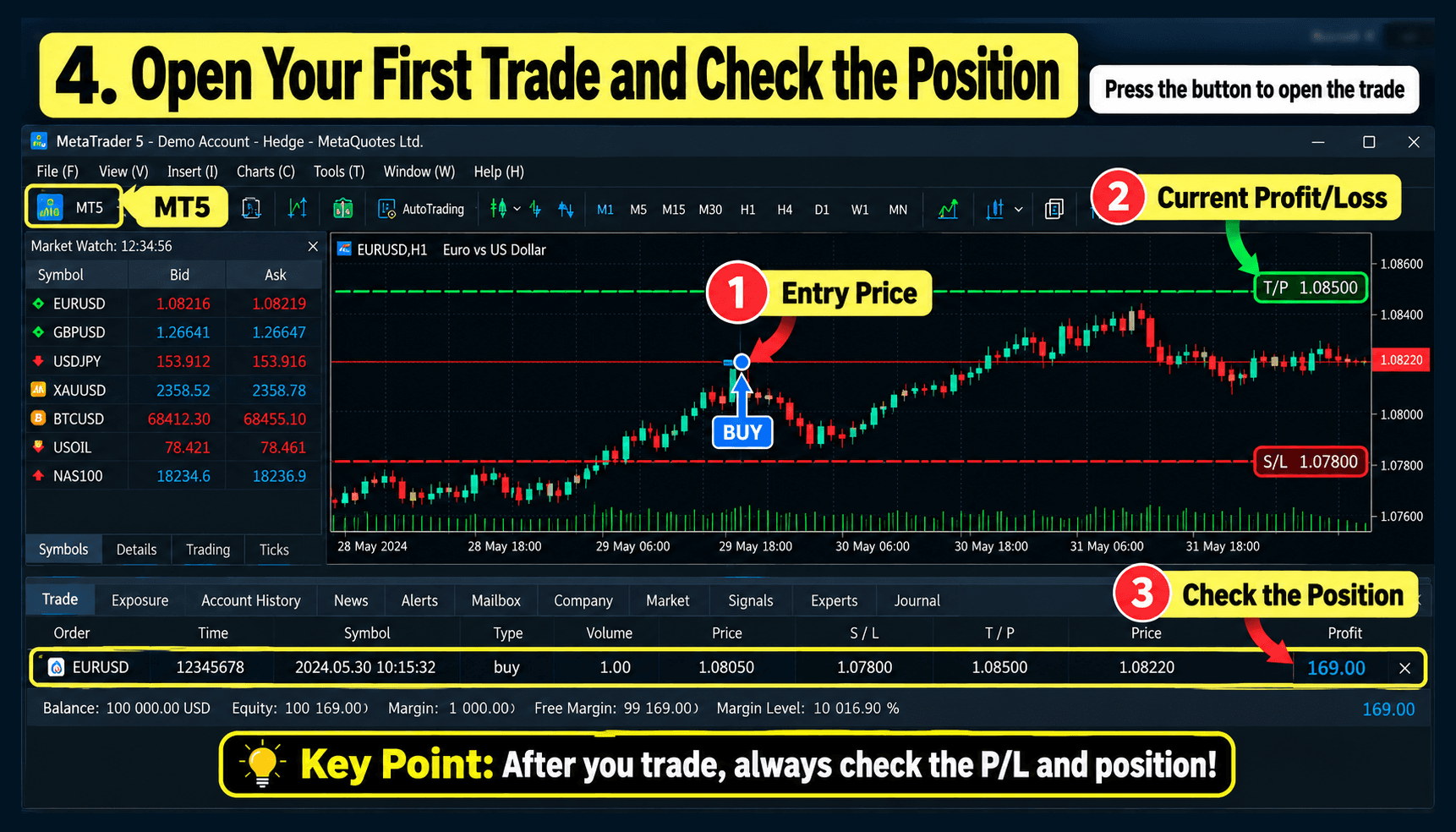
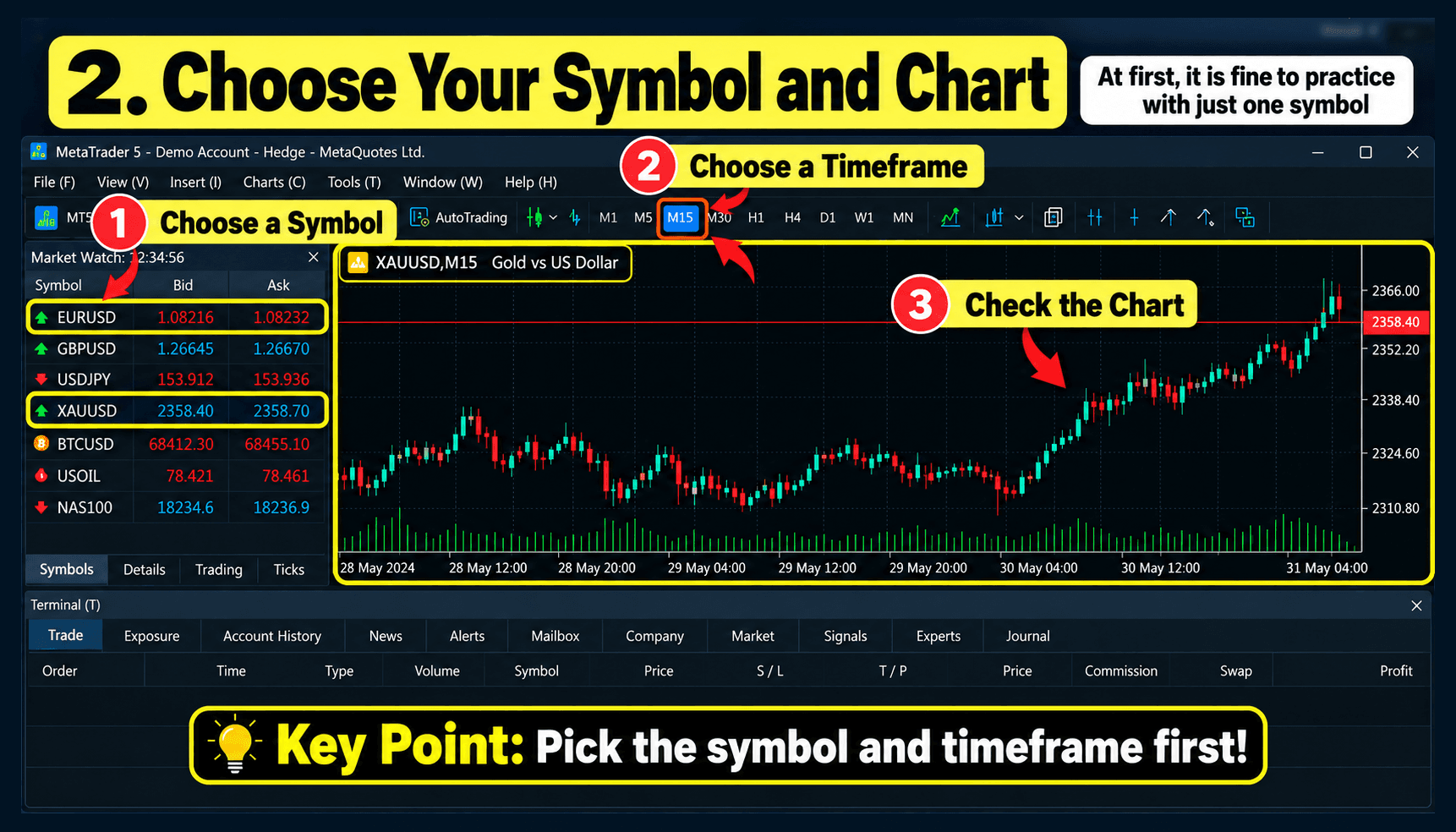
Once your account is ready, do not rush to place an order. Check the chart first. For example, if you want to practice XAUUSD, confirm:
- The symbol is XAUUSD
- The chart timeframe
- The current Bid and Ask prices
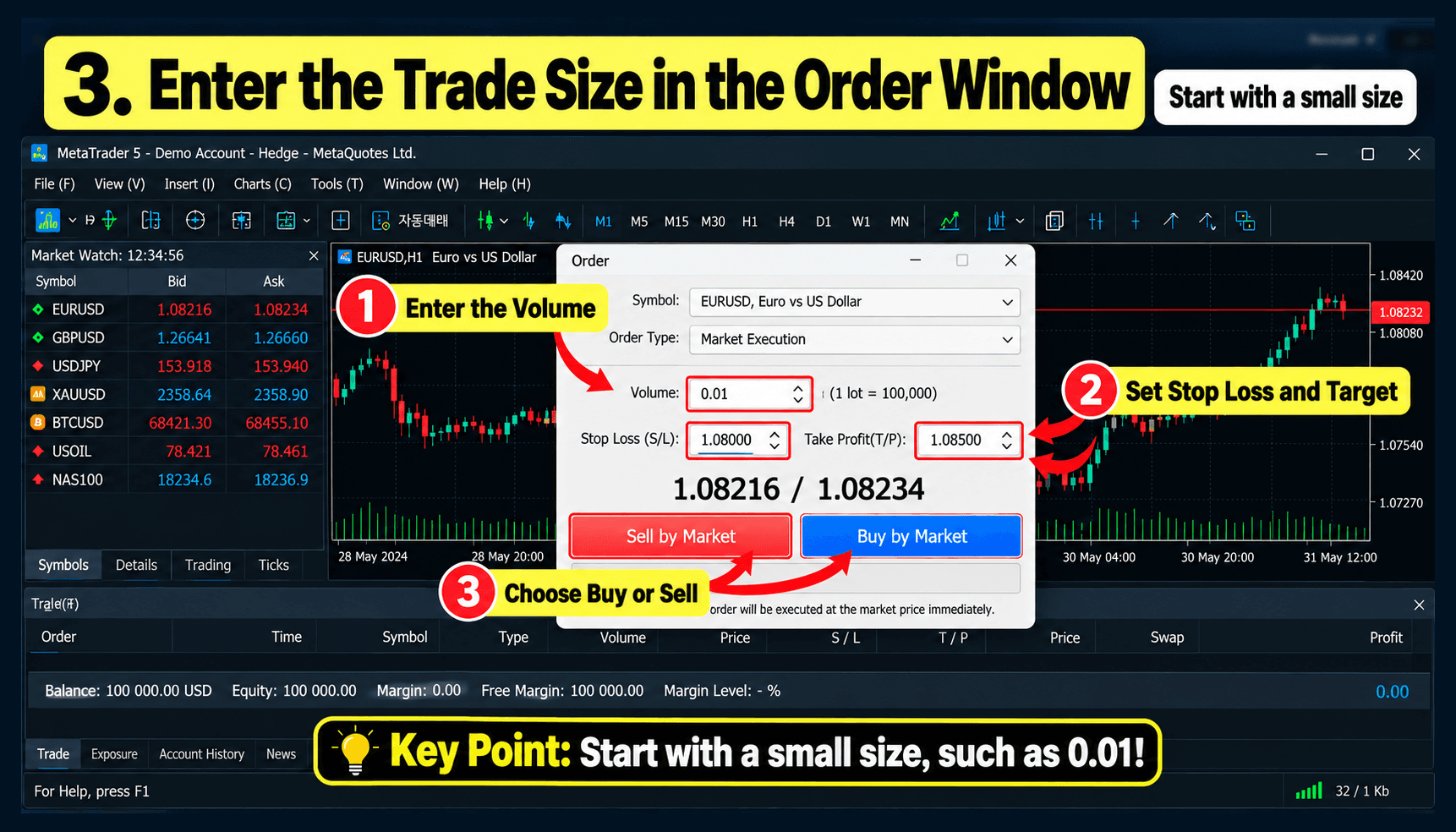
- The trade volume setting
Even on a demo account, choosing the wrong symbol or volume can create very large profit or loss changes.
- Practice Demo Trading Like Real Trading
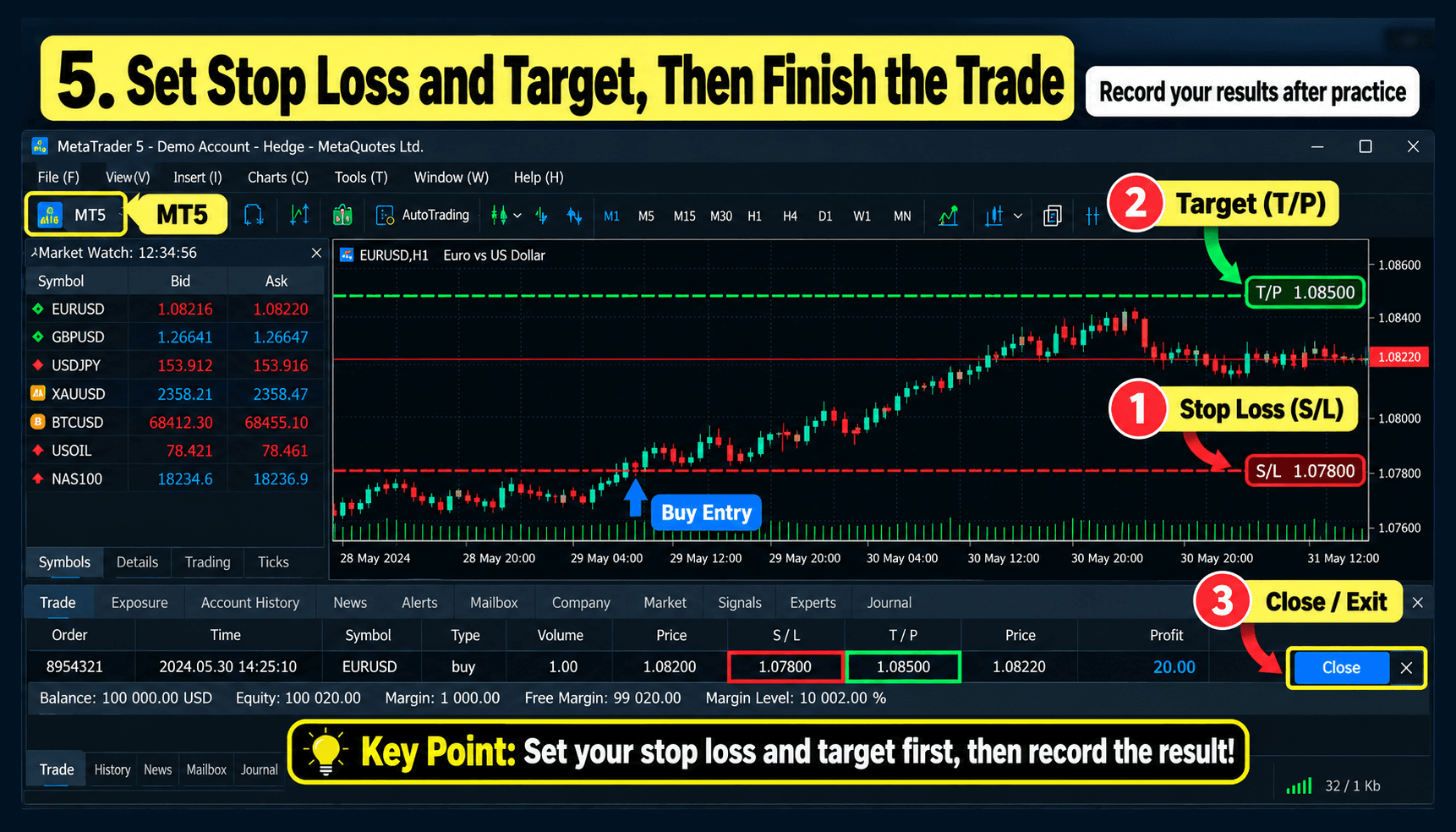
The purpose of a demo account is not just to click buttons. Before entering a trade, decide:
- Where you would enter
- Where you would exit if the trade goes against you
- Where you would take profit if the trade moves in your favor
If you trade randomly just because the money is virtual, the practice may be less useful. Key Takeaways You can start MT5 demo trading in this order:
- Create a demo account in MT5.
- Confirm that you are connected to a Demo server.
- Set your virtual trading balance.
- Check the symbol and trade volume.
- Practice using rules similar to real trading.
One-Line Summary Before using real money, learn the MT5 interface and order process with a demo account first. Demo trading results may differ from live trading because of execution, slippage, trading costs, and market conditions. Demo results do not guarantee future performance. Next: How to Place Your First Order on an MT5 Demo Account Once your demo account is ready, the next step is placing your first order. In the next article, we will explain Buy and Sell orders, volume settings, and how to check an open position using simple images. Educational Purpose and Risk Disclosure This article is for educational purposes and explains how to use MT5. It is not a recommendation to buy or sell any financial instrument. Demo trading may differ from live trading conditions. Leveraged products can involve significant losses when real funds are used, so make sure you understand the product structure and risks before trading.